

Product & Features

Introducing Auto Clips: Just Play the Game, We’ll Save the Clip

Growing up, video games were my haven: a place for escape, connection, and constant discovery. I still remember rushing to LAN setups after school to play Counter-Strike with my friends, clutching eco rounds, and defusing the bomb with half a second left on the timer. Those shared moments defined my youth, and I've always wished I could relive them.

That drive is why I've dedicated my career to improving how gaming memories are captured and shared. I co-founded the gameplay clipping app Powder alongside Maryan Morel, Tom Mason, and Titouan Loeb, and the four of us now continue that mission at Discord. Discord is already where friends hang out and play every day, and we couldn't be more excited to bring clipping right into the heart of that experience. Over the past year, we’ve been working to fully revamp the clipping experience so players can effortlessly capture and share their greatest gaming moments.


The Magic of Auto Clips

Today, we're thrilled to announce Auto Clips, rolling out in early access for Nitro members over the coming weeks.

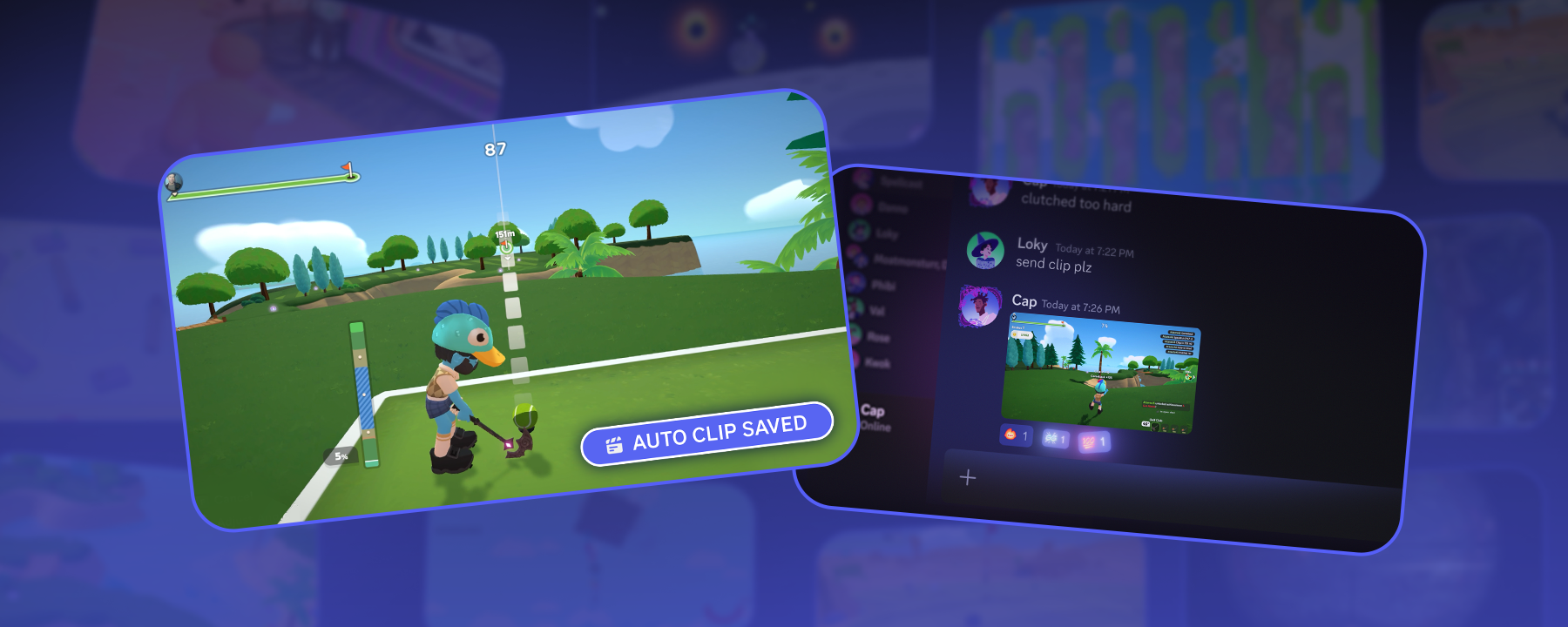
There is no complex setup. Just hop on voice, launch a game, and play. Laugh. Shout. Maybe both at once. Auto Clips is tuned to recognize those spontaneous spikes of excitement. When your call erupts, Discord saves the play locally to your PC, capturing the exact moment that made everyone lose it.

In select titles, you don’t even need a vocal reaction to trigger a recording. League of Legends, Rocket League, Counter-Strike 2, and Dota 2 will all support event-based clipping at launch, seamlessly capturing in-game moments like a sick pentakill as they happen.

‍Lightweight by Design

Performance is critical, which is why running Auto Clips locally on your own PC was a design constraint from day one. We built the model to be incredibly lightweight so it runs on your CPU in real time without getting in the way of your game. Clips has approximately the same overhead as standard recording tools, and the auto-clipping feature adds almost nothing on top of that.

‍

You’re in Control

Your voice calls remain end-to-end encrypted, and everything happens securely on your device.

Auto Clips decides when to save a play by reading acoustic patterns in real time. By converting voice audio into a 2D spectrogram, the model identifies the distinctive visual shapes made by laughs, shouts, and sudden hype, capturing a clip the moment things get loud.

Fig. 1: spectrogram of laughter.
Fig. 2: spectrogram of a shout.

We do not train the model on your Clips, your voice, or user data. Instead, we built Auto Clips in direct collaboration with streamers and creators. Your Clips stay on your PC and never leave your device unless you actively choose to share them. And to help manage your local storage, Auto Clips will only save a maximum of three highlights per gaming session.

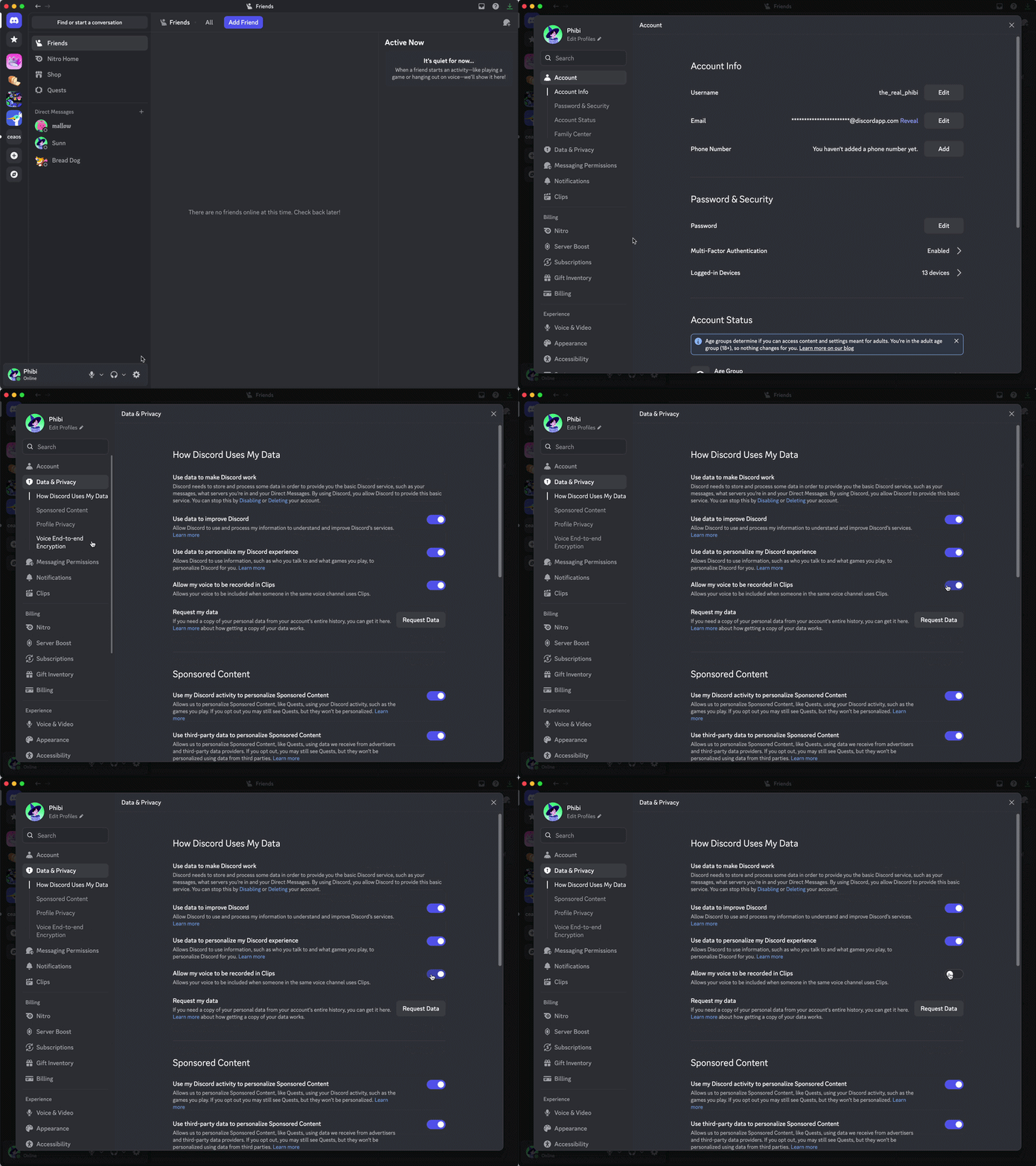
You’ll always see a clear indicator when you’re in a call with Clips enabled, and you stay entirely in control of how it works for you. At any time, you can turn off Auto Clips, disable clipping on your account entirely, and even opt out of having your voice included in others’ Clips altogether.

The “Allow my voice to be recorded in Clips” toggle in User Settings.

Relive the Fun Together

While developing this updated version of Clips, we played a lot of Super Battle Golf. We had so much fun playing together and sharing our chaotic moments in chat. Clips lets players take those moments and easily share them so others can get in on the fun.

Discord has always been about helping people connect and build friendships around games. Integrating effortless clipping into that experience is an aspiration we’ve had ever since the launch of Go Live. We tried making it happen in the past, but getting the experience exactly right proved to be a real challenge. Now, our vision is coming to fruition, and we’re taking a huge step forward with Auto Clips. 

And there’s more on the way. Soon you’ll be able to show off your best Clips on your Discord profile. We’re also building a way for friends to share the Clips they each saved of the same moment, so your group can relive that legendary play from every angle.

Give Auto Clips a try, check out our FAQ for more details, and jump into our Discord Town Hall server to help us shape the experience before it rolls out to @everyone else in 2027.

Tags
No items found.

related articles