You’re Now Discord Official: Developers, Claim Your Game and Verify Your Server
Nelly
March 12, 2026
Players can set up their profiles and how they show up to their friends on Discord how they want. Now, we're giving game developers that same power.
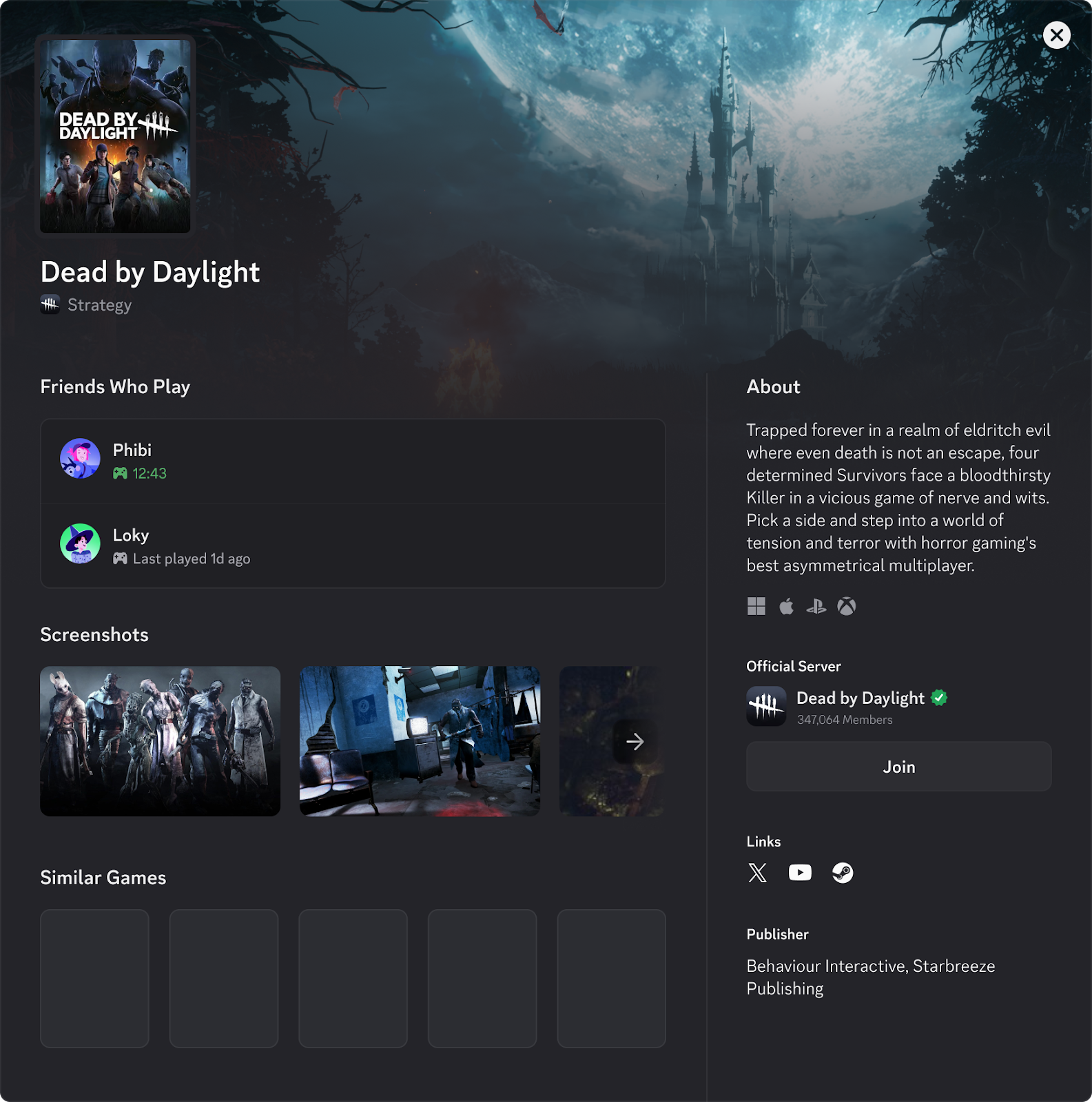
Help players across Discord discover your game and community by becoming "Discord Official.” Claim your game and unlock the power to customize your game's profile shown across Discord. Surface the right information about your title and guide players to your (soon-to-be) verified Discord server so they can talk and engage with your growing community.
By becoming Discord Official, game developers will have a quick and powerful way to establish:
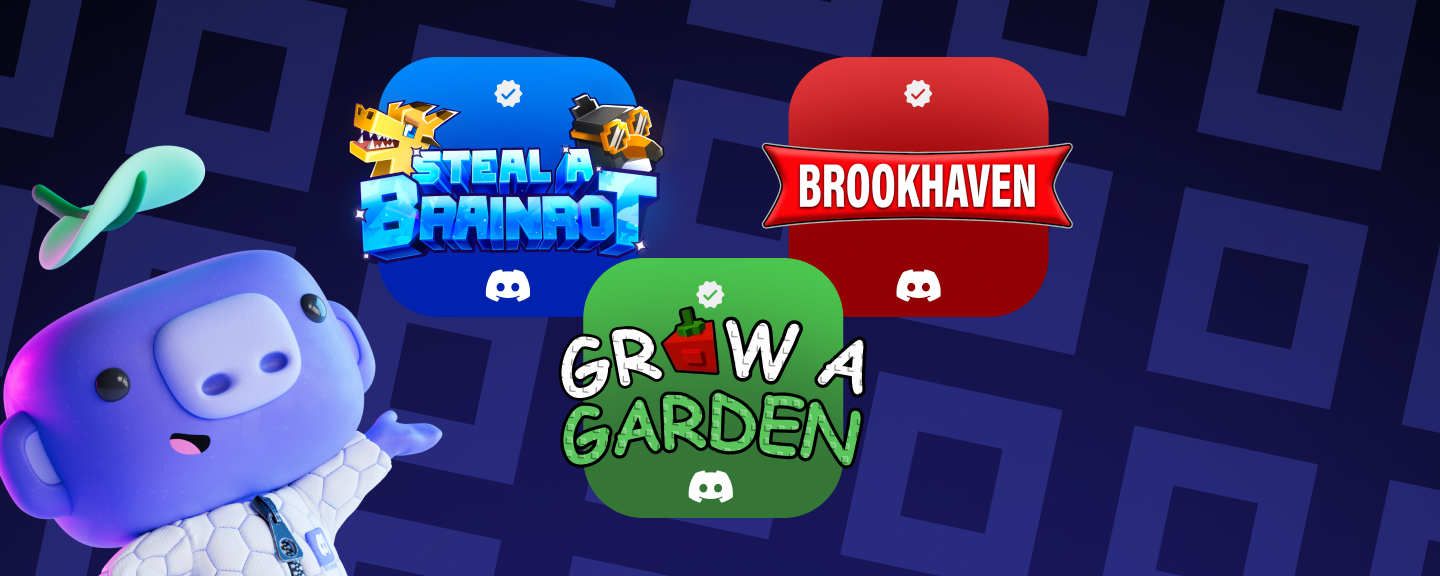
A game's official profile on Discord: a verified profile that players can trust when searching, sharing invites, or following links from that game’s profile page.
A Verified Discord server: players know they’re joining a game’s official server when they follow a link from that game’s Steam page, a link, or an invite.
Claim Your Game, Become Discord Official
Discord is a leading platform for hosting official game communities, helping to give developers real-time, qualitative signals on what's working in their games and what isn't. In fact, as of December 31, 2025, there were over 10,000 game communities on Discord, with more than 80 million members, creating a direct feedback loop between players and developers. That scale is especially powerful in early access and live service games, where rapid iteration and constant player input can define the long-term success of a game.
Communities aren't just a nice-to-have: they're essential infrastructure. An engaged community helps turn launches into sustained momentum by giving players a place to get updates, find friends, and share feedback. Communities also give your teams a consistent, direct line to player sentiment and behavior so you can see what's resonating with your players, what they want to see next, and what they're saying about your game.
Most games on Discord have a profile where players can learn more about the game. By default, these profiles are automatically generated using details from sources like IGDB, but developers can now claim their game’s page and customize it, like their game’s description, media, and any official links, including a link to that game’s verified Discord server.
Claim your game to customize how your game looks across Discord
Once a developer claims their game on Discord, they can adjust the following information about it:
About: Update a game’s summary with the latest details.
Key Visual Assets: Showoff your game’s cover art, icon art, banner art, and screenshots.
And Some Final Touches, including social media links, supported platforms, and publisher details.
Plus, your newly verified server will be listed higher in Discovery so players can find it quickly.
A reminder: Discord Official is for game studios and publishers only; that way, you’ll know you’re looking at a game’s real, trusted, verified home on Discord. If it’s not your game, you cannot claim it.
But if you really really want to claim a game on Discord, this is your sign to go make one!
How to Claim Your Game on Discord & Verify Your Server
Claiming your game’s page on Discord (and verifying your game’s Discord server) is pretty straightforward, but there are a few things you absolutely need to make sure you have before getting started:
Prerequisites Before Applying
Your development studio must have a (soon-to-be-verified) Discord server.
Your game must be on Steam, and the Steam store page must link to your Discord server.
Your game must be playable, meaning it’s available for download and play.
You need to create a new application or utilize an existing one in the Developer Portal.
The server owner must be on your Developer Portal Team, since they’ll receive a verification code that’s required to include during the application process.
Once you've got all the requirements squared away and your buttons are all buttoned up, it's time to start the actual application process:
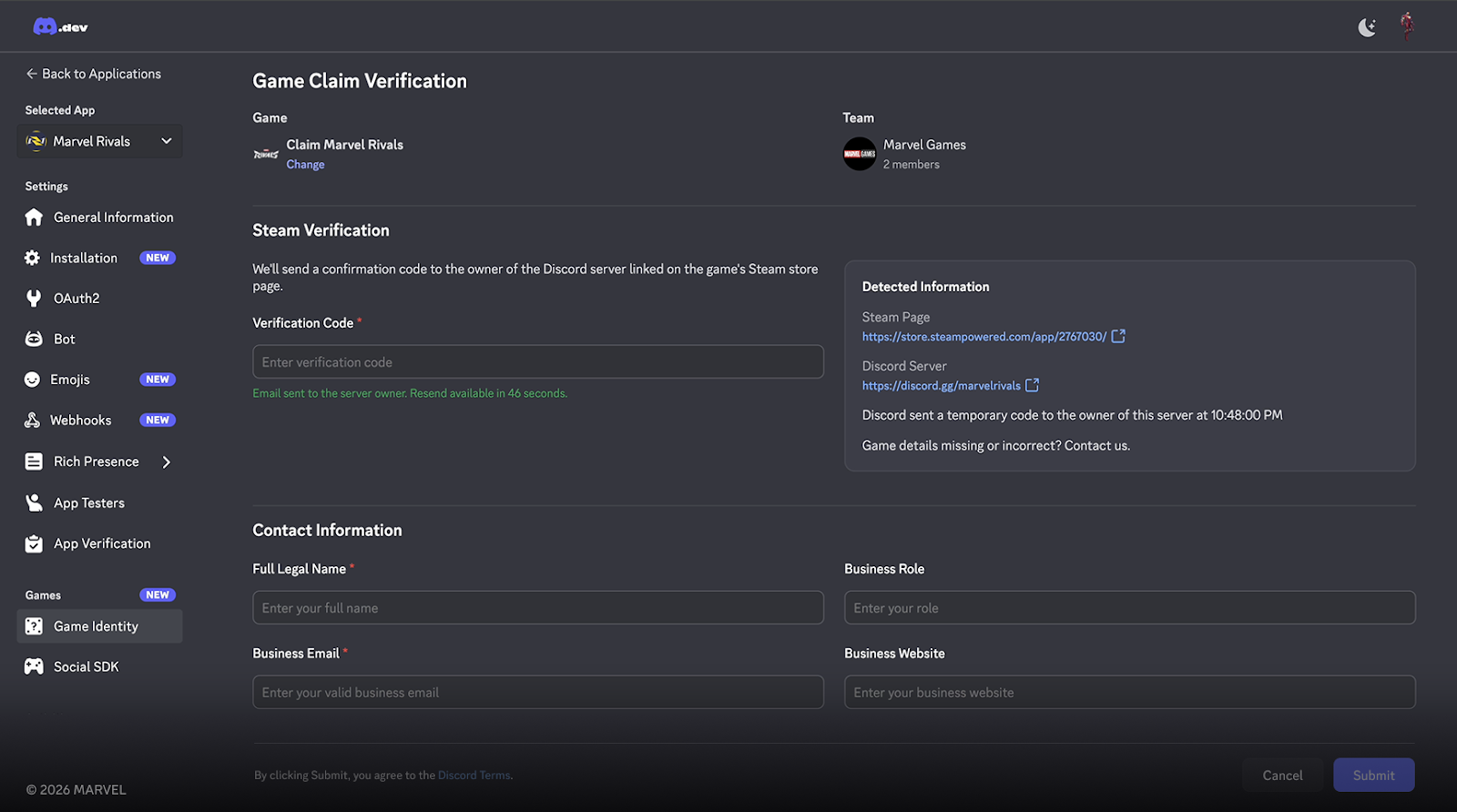
On the left sidebar, select Game Identity under Games, then click Claim Game.
Search for your game title and select it.
Fill out the Game Claim Verification form.
During the process, Discord will send a verification email to the server owner. We’ll ask for the included verification code during the application process.
At launch, we’re currently only supporting PC games listed on Steam that are playable in either Early Access or Full Release.
Discord Official looks good on you!
Once you’ve successfully claimed your game, you’ll unlock the ability to customize your game's profile on Discord, which is perfect to hype things like major content updates, cosmetic drops, or the launch of your game’s newest season. And of course, your server will quickly get a shiny new verified check!
Becoming Discord Official isn’t just for the cosmetic stuff (although it certainly looks great) — we’re hard at work creating even more features for game developers intended to make developing, testing, and running games easier for players and devs alike.
Ready to claim your game? Check out our documentation in the Developer Portal to get started:
















.png)
.png)




Nameplates_BlogBanner_AB_FINAL_V1.png)

_Blog_Banner_Static_Final_1800x720.png)


_MKT_01_Blog%20Banner_Full.jpg)


